
Silkwave Update: Native Audio Recording and AI Note Taker
Silkwave goes multimodal with features to record microphone and system audio, capture meetings without bots, and transcribe offline using Apple Intelligence.
The Silkwave Team
January 27, 2026
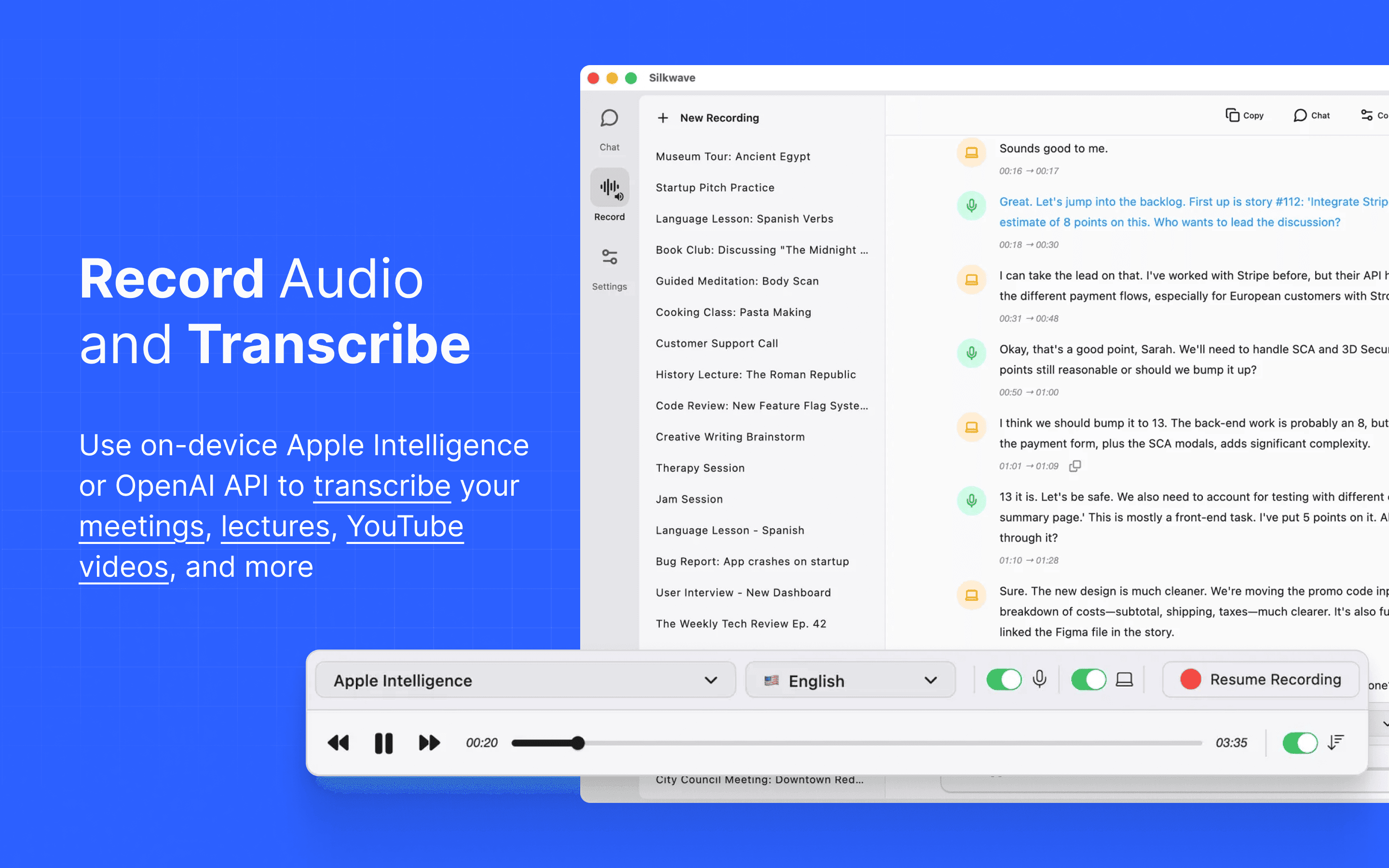
When we first launched Silkwave, our mission was to unify your text-based AI interactions into one clean Mac client. But we know that a huge portion of your daily information flow isn’t written down - it’s spoken in meetings, lectures, and videos.
Today, we are releasing a massive update that transforms Silkwave from a chat client into a complete multimodal AI workspace. You can now record audio, watch the transcription appear as you speak, and use your favorite AI models to analyze the generated text.
Capture Everything: Microphone and System Audio
Most meeting recorder tools require you to invite an awkward "bot" to your video calls. Silkwave takes a different approach, acting as a native Mac audio recorder to capture high-fidelity sound directly from the source.
We have introduced three recording modes:
- Microphone: Perfect for voice notes, dictation, or recording in-person lectures.
- System Audio: Capture system audio directly from your computer. This allows you to transcribe YouTube videos, podcasts, and webinars without background noise.
- Hybrid Mode: Record your microphone and system audio simultaneously - the ideal solution to record Zoom, Microsoft Teams, Google Meet, or Slack Huddles without a bot.
Transcribe with Privacy (Apple Intelligence)
Once you have recorded your audio, you need to turn it into text. We give you two distinct ways to handle AI transcription:
- On-Device Apple Intelligence: You can now use Apple Intelligence to transcribe audio offline. This is completely free and ensures your sensitive meeting data never leaves your machine.
- Requirements: This feature requires macOS 26 (Tahoe) or later.
- Supported Languages: Cantonese 🇭🇰, Chinese 🇨🇳, English 🇺🇸, French 🇫🇷, German 🇩🇪, Italian 🇮🇹, Japanese 🇯🇵, Korean 🇰🇷, Portuguese 🇵🇹, and Spanish 🇪🇸.
- OpenAI API: If you prefer cloud-based processing, or are on an older macOS version, you can connect your OpenAI API key for high-accuracy results.
From Audio to Insight
A transcript is only useful if you can do something with it. In Silkwave, your recordings are tightly integrated with the Chat interface.
Transcriptions are generated in near real-time, so you don't have to wait for the recording to finish. You can navigate directly to a chat window with the text pre-populated while the audio is still being captured. This unlocks powerful workflows:
- AI Note Taker: Record a team sync and ask Claude to "Extract a list of action items and deadlines."
- Study Assistant: Record a complex technical lecture and ask Gemini to "Explain the key concepts in simple terms."
- Video Summarizer: Record a YouTube video via System Audio and ask GPT-4o to "Summarize the argument."
Reviewing your recordings is seamless. Each transcript segment includes a timestamp - simply click on any text segment to jump the audio directly to that moment. Conversely, you can enable auto-scroll to have the transcript automatically follow the playback, making it effortless to spot-check the text against the audio.
Available Now
This update represents a major step forward in making Silkwave the ultimate AI workspace for Mac. Whether you are using offline transcription with Apple Intelligence or coding with the latest Claude model, it all happens in one fast, private application.