
Introducing Silkwave Voice: Private AI Note Taker and Transcription App for Mac
Meet Silkwave Voice, a macOS app that records audio, transcribes speech to text on-device, and generates AI summaries - all without sending your audio to the cloud.
March 24, 2026
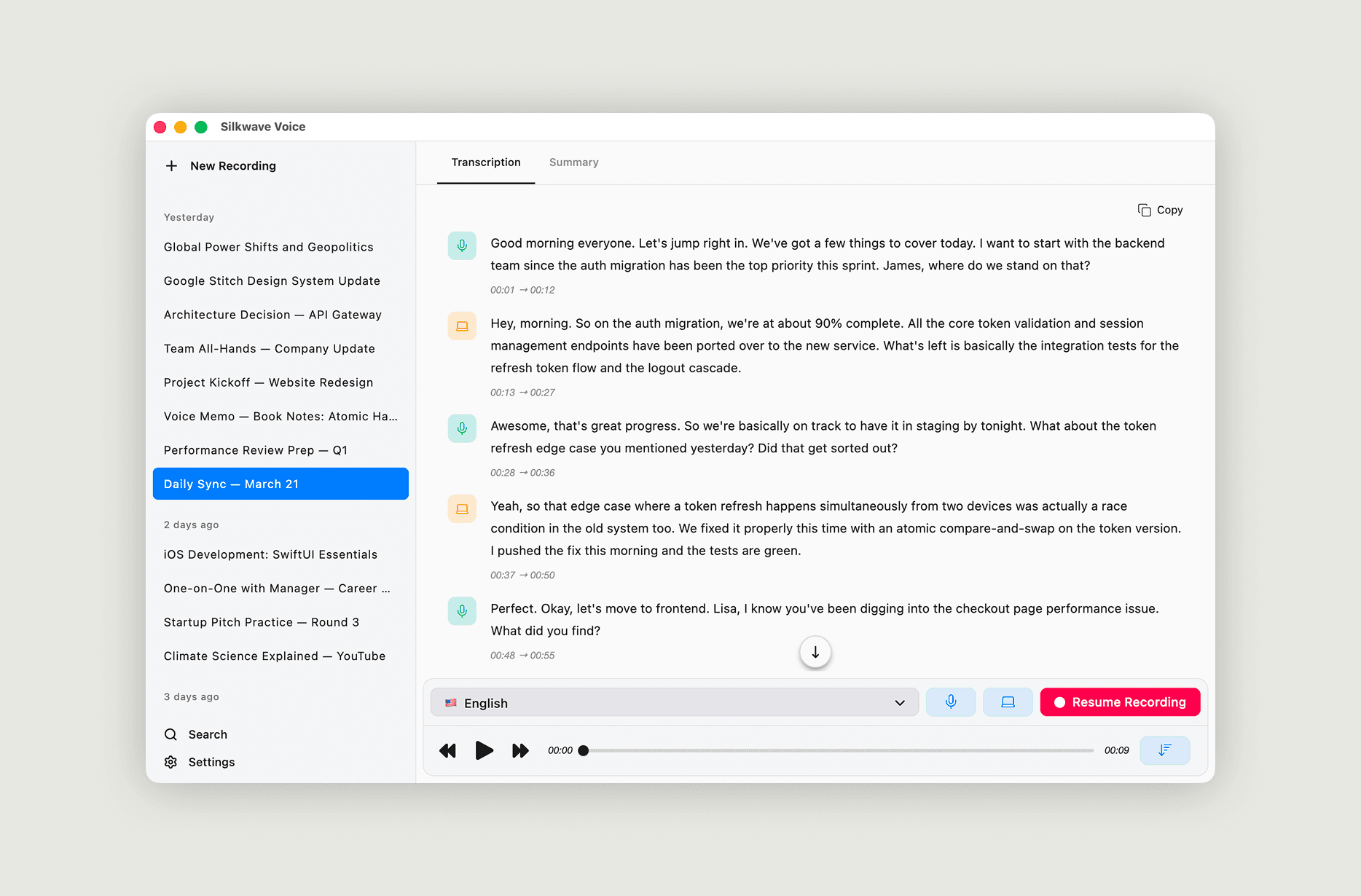
Meetings, lectures, interviews, podcasts - so much valuable information is spoken and then forgotten. Most transcription tools require you to upload your audio to a cloud service, raising privacy concerns and adding recurring costs. I wanted something better.
Today, I'm introducing Silkwave Voice: a native macOS app that records audio, transcribes it to text in real time, and generates structured AI summaries - with transcription happening entirely on your device.
Record Any Audio Source on Your Mac
Silkwave Voice can capture audio from your microphone, your system audio, or both simultaneously. This makes it easy to record a wide range of scenarios without any third-party audio drivers:
- Microphone: Capture your voice for dictation, voice notes, or in-person conversations.
- System Audio: Record internal audio directly from apps like Zoom, Google Meet, Microsoft Teams, YouTube, or any browser tab.
- Both at once: Record a video call where you need both sides of the conversation - your microphone and the remote participants' audio through system audio.
You can start recordings from the main window or from the menu bar, so you never need to switch away from what you're doing. A timer in the menu bar keeps track of how long you've been recording.
On-Device Speech-to-Text Transcription
Silkwave Voice transcribes audio in near real-time using Apple's on-device speech-to-text models on macOS 26 (Tahoe). The transcription runs locally on your Mac - no internet connection required, no data sent to external servers, and no per-minute API costs.
The app supports 10 languages with downloadable language packs:
Cantonese, Chinese, English, French, German, Italian, Japanese, Korean, Portuguese, and Spanish.
Each transcript is timestamped and synced with the audio. During playback, click any segment to jump to that moment, or enable auto-scroll to follow along as the audio plays.
AI-Powered Meeting Summaries
Raw transcripts can be long and hard to scan. Silkwave Voice uses Apple Intelligence's ChatGPT extension to turn your transcripts into structured summaries that include:
- Key Topics Discussed
- Action Items and Decisions
- Overall Theme
You can generate summaries manually or enable Auto Summarization to create one automatically every time you pause a recording. The setup takes just a few minutes through the app's settings - install the bundled shortcut, grant a permission, and you're ready to go.
Search Across All Your Recordings
Over time, your recording library grows. Silkwave Voice includes a full-text search that works across recording titles, transcripts, and summaries. Type a keyword and instantly find the exact recording and passage where it was mentioned.
For navigating within a single recording, use Cmd + F to find specific words in the current transcript or summary.
Privacy by Design
Your audio files never leave your Mac. Transcription is processed locally by Apple's speech-to-text models, so no audio is uploaded to any server. When you use AI Summarization, only the transcript text is shared with ChatGPT through Apple Intelligence - your original audio stays on your device.
Get Started
Silkwave Voice is available now on the Mac App Store. If you attend meetings, record lectures, or work with any form of spoken content, give it a try.
The Silkwave Voice product page walks through every feature - recording, on-device transcription, speaker identification, summaries, and AI Chat - with screenshots of each.