
Silkwave Voice - AI Transcription App for macOS
Record or import audio, then transcribe it in 10+ languages with on-device Apple models. Speaker identification, ChatGPT-powered summaries, and chat with your recordings - no subscriptions, and your audio never leaves your Mac.

Requires macOS 26 or later
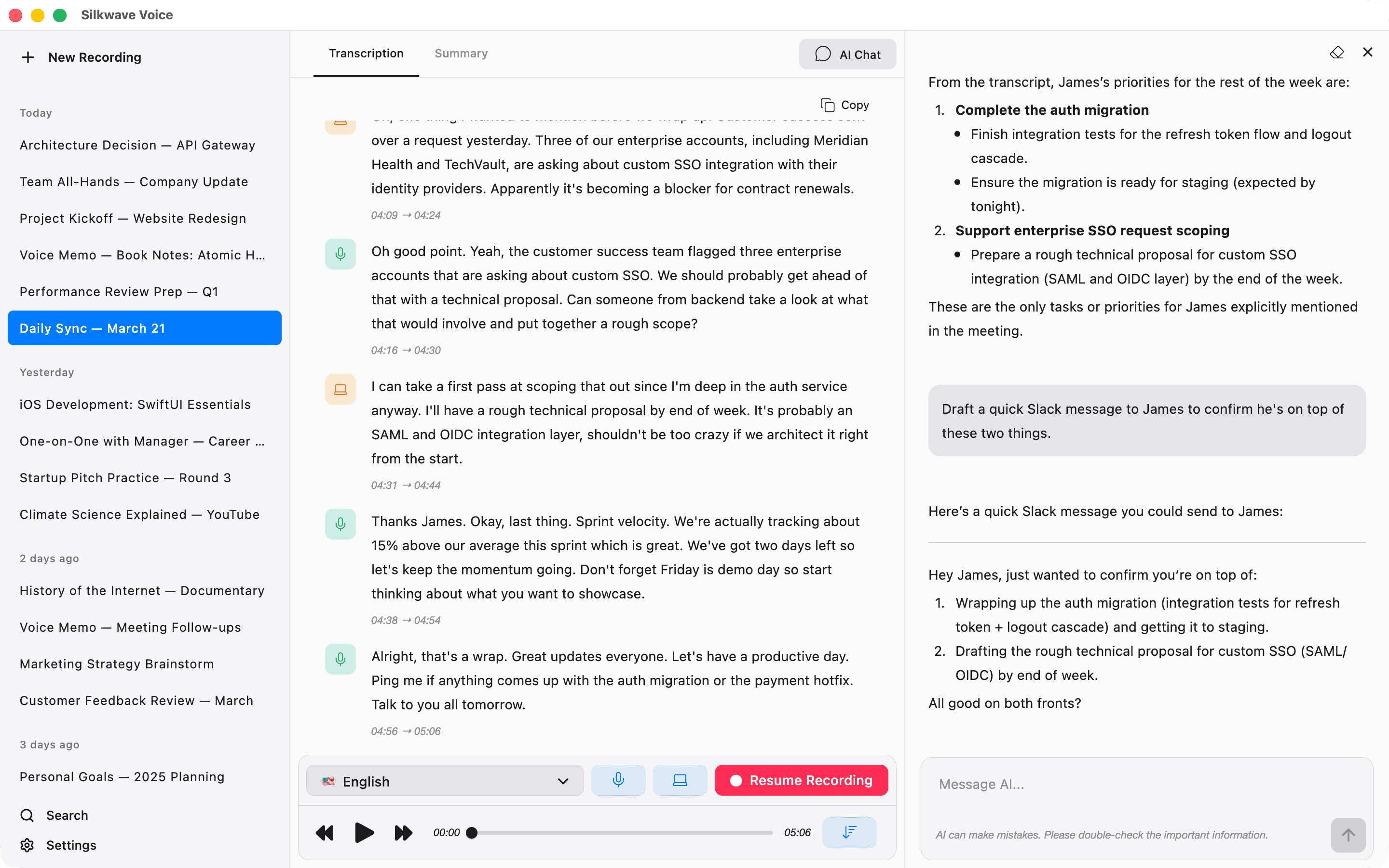
Record. Transcribe. Summarize. Chat.
On-device AI transcription with ChatGPT-powered summaries and chat for macOS. No subscriptions, your audio never leaves your Mac - just press record.
Record Meetings, Lectures & Podcasts
Record from your microphone, capture system audio, or both at the same time. Perfect for Zoom calls, Google Meet, YouTube videos, and more - no third-party loopback drivers needed.
On-Device Transcription in 10+ Languages
Transcribe speech in real-time using Apple's on-device speech-to-text models. Supports Cantonese, Chinese, English, French, German, Italian, Japanese, Korean, Portuguese, and Spanish - all processed locally. Your audio never leaves your Mac.
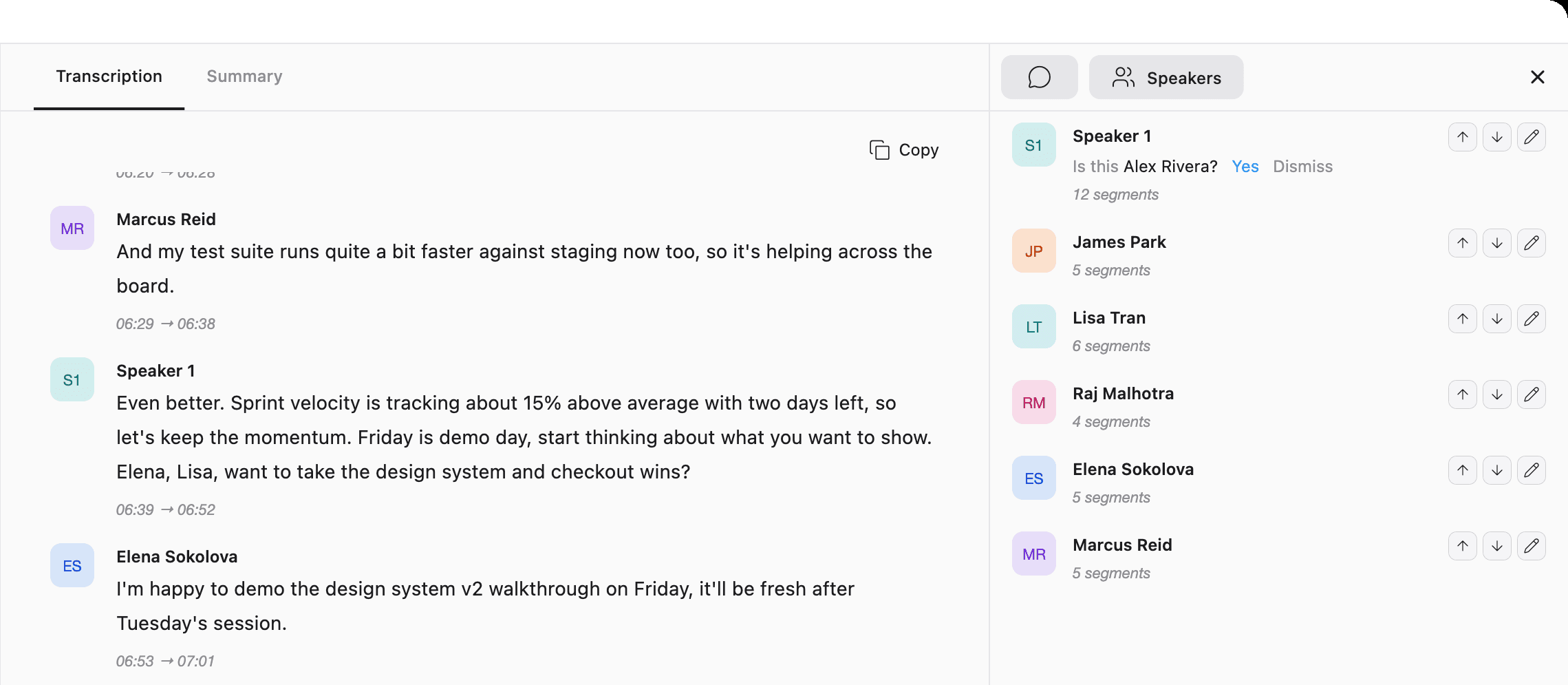
Alex Rivera
00:12 → 00:19
See Who Said What - Speaker Identification
After each recording, Silkwave Voice labels every transcript segment with its speaker. Name someone once and they're recognized in your future recordings - with a one-tap suggestion whenever a familiar voice returns. It runs entirely on your Mac as a post-recording step, so voice profiles never leave your device. Off by default - turn it on with a single switch whenever you want it.
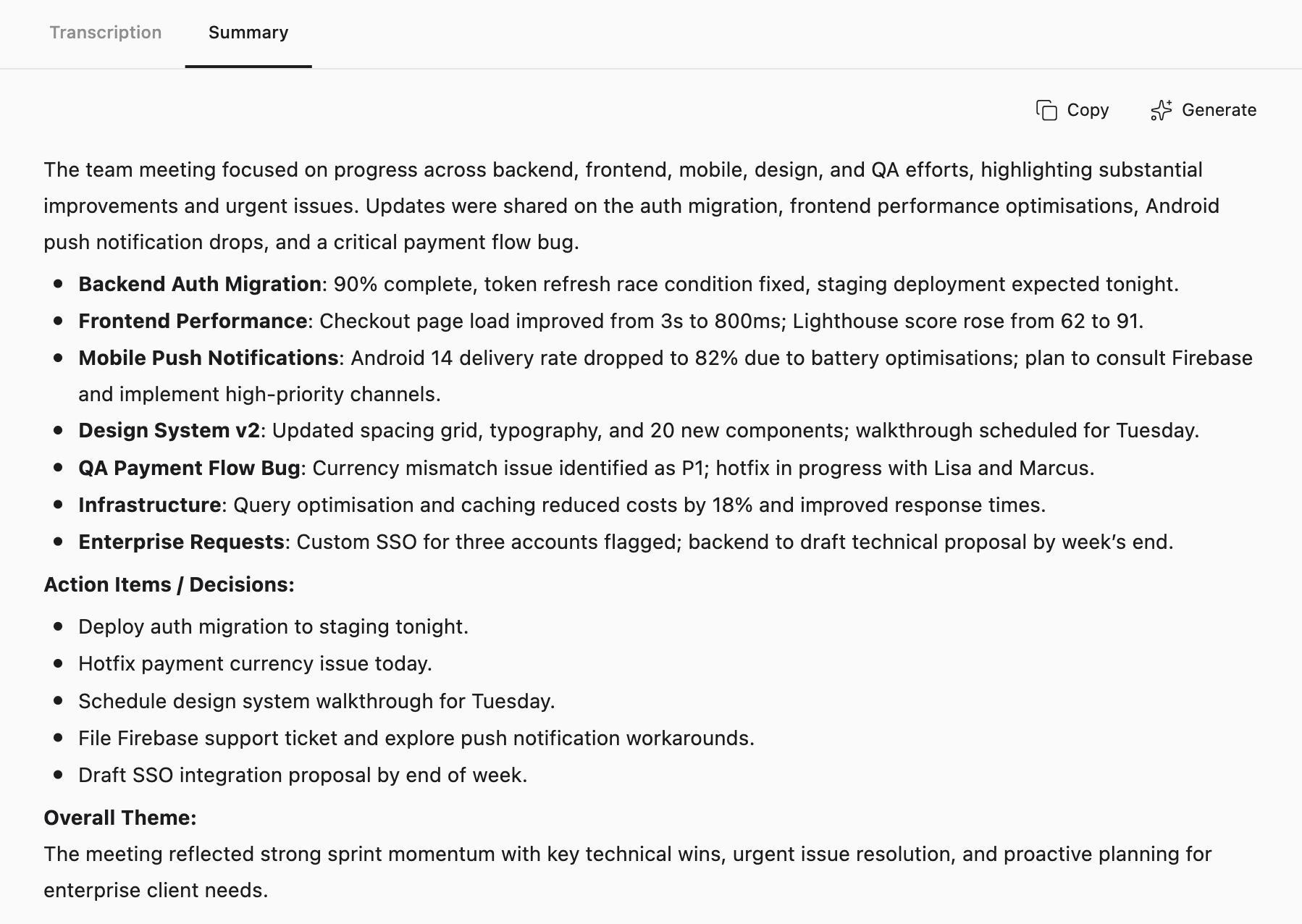
ChatGPT-Powered Summaries via Apple Intelligence
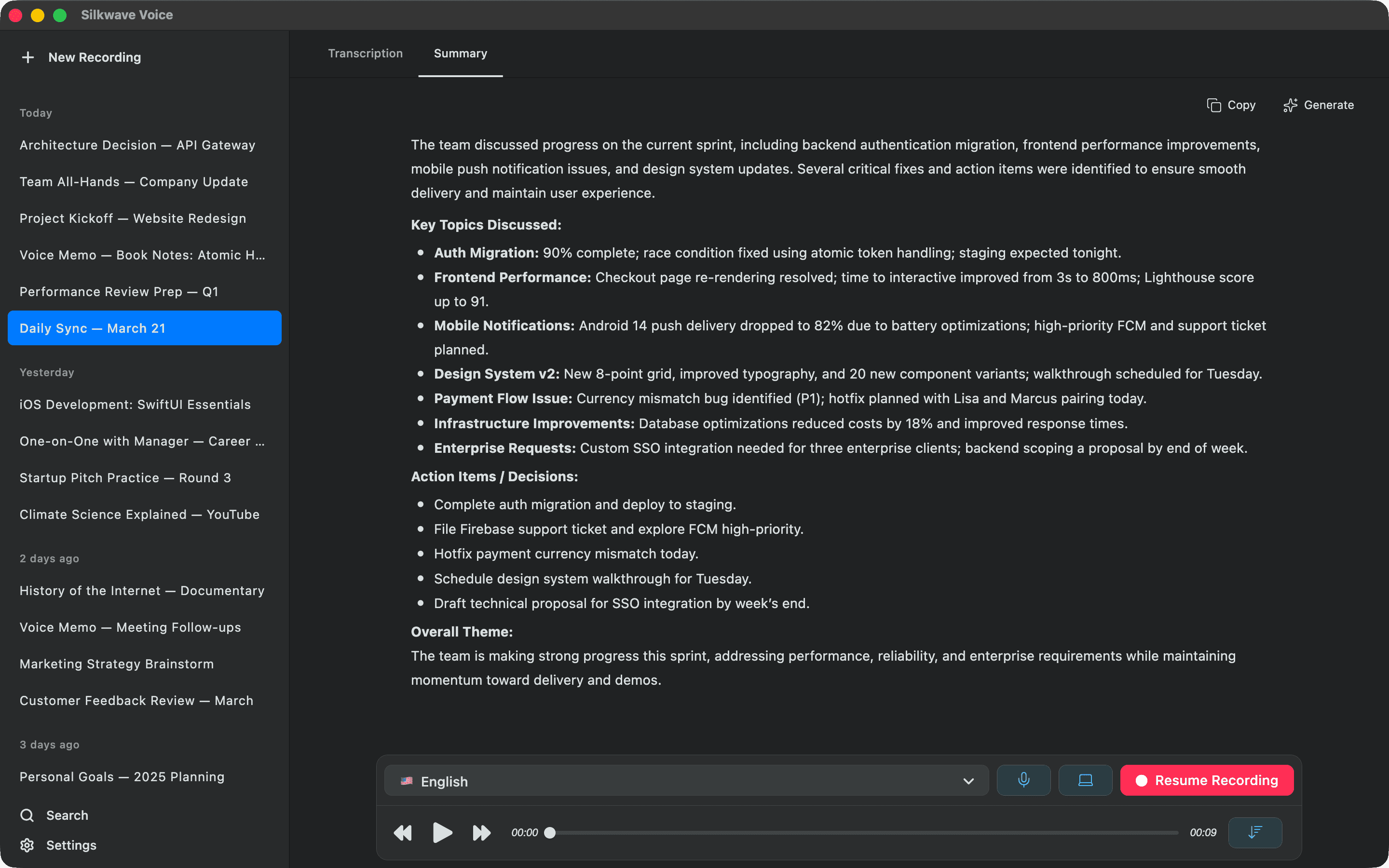
Get structured AI summaries with key topics, action items, and decisions - powered by ChatGPT through Apple Intelligence via a simple Shortcut integration. No API keys or subscriptions needed. Summaries are optional, and you're always asked before anything is sent.
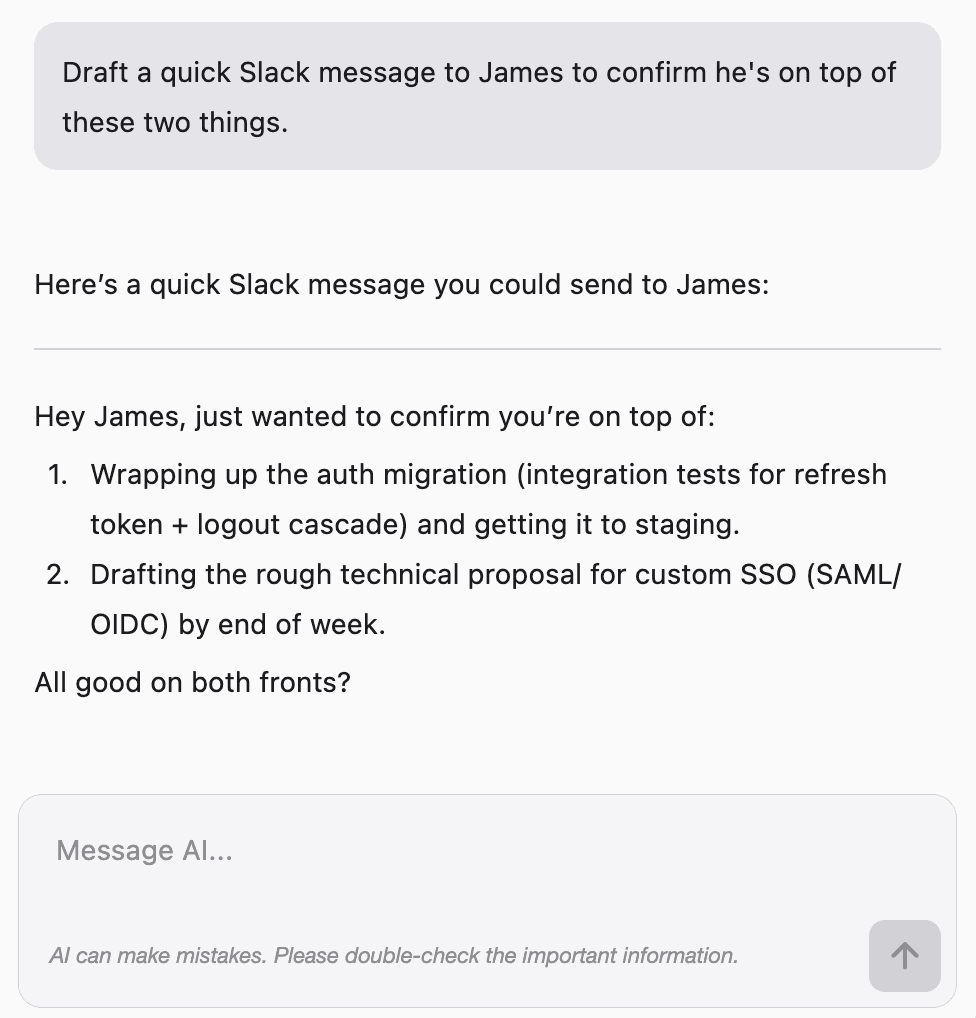
AI Chat With Your Recordings
Ask follow-up questions, pull out quotes, clarify decisions, or draft follow-up emails in a dedicated side panel. Conversation history is saved per recording, so you can pick up where you left off. Powered by ChatGPT through Apple Intelligence - no API keys, and only transcript text is sent for context, never your audio.
Menu Bar Quick Access
Start, resume, pause recordings, toggle audio sources, and switch languages instantly from the menu bar - without opening the main app. Stay focused on your work.
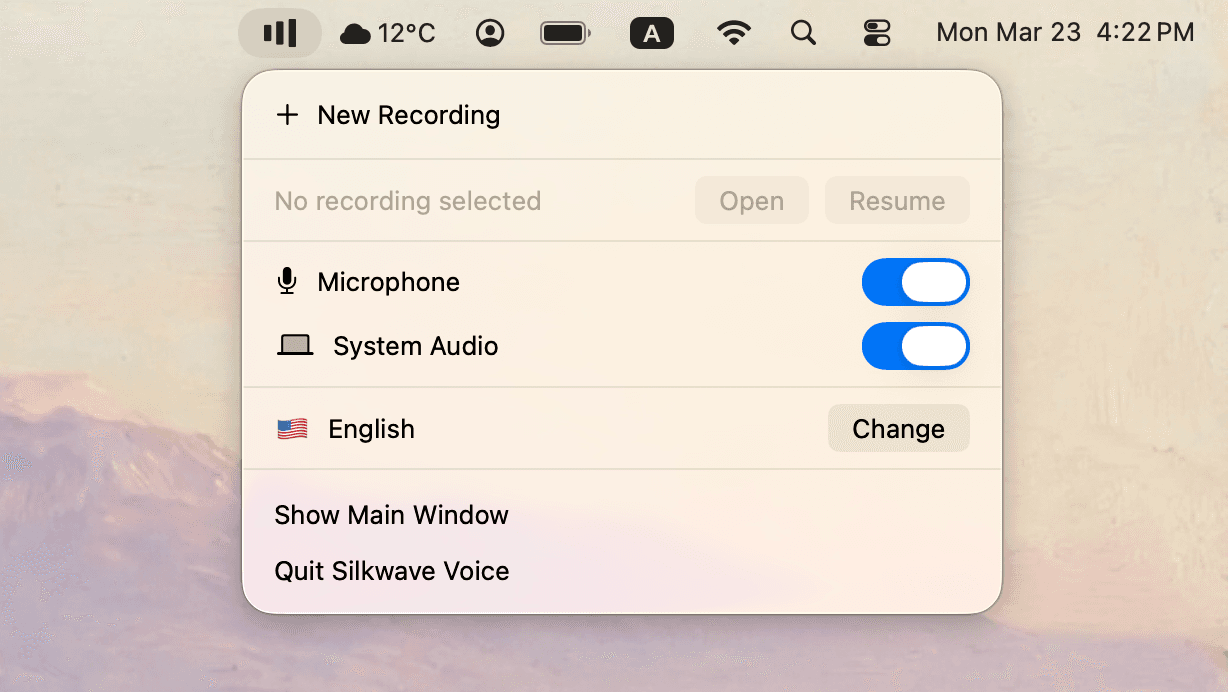
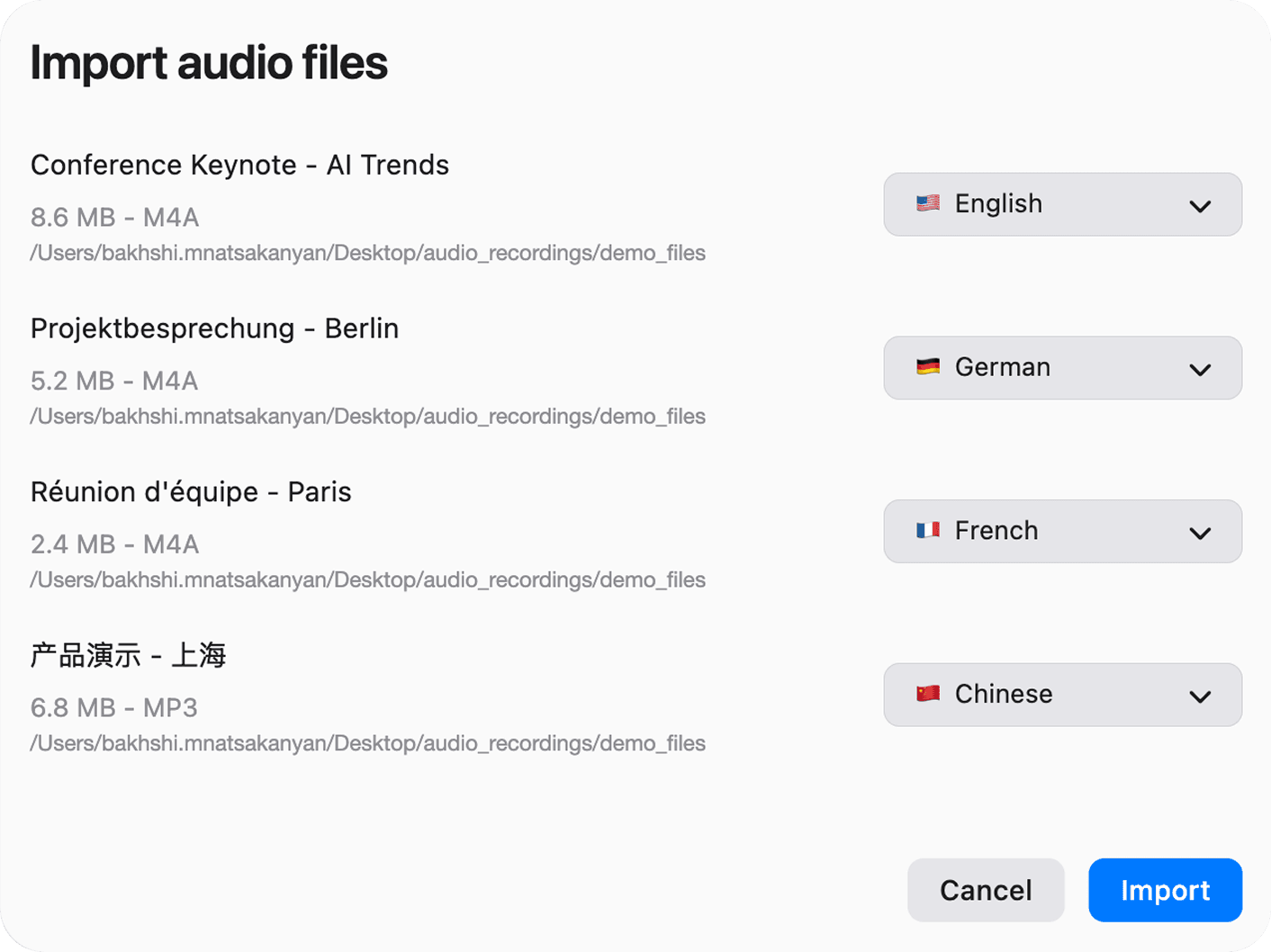
Import Audio Files & Export Recordings
Already have audio? Import MP3, M4A, WAV, FLAC, and more - bring in several files at once and choose the transcription language for each one, then Silkwave Voice transcribes and summarizes them automatically. Any recording - whether you captured it live or imported it - can be exported as a single .zip bundling the audio, transcript, and summary.
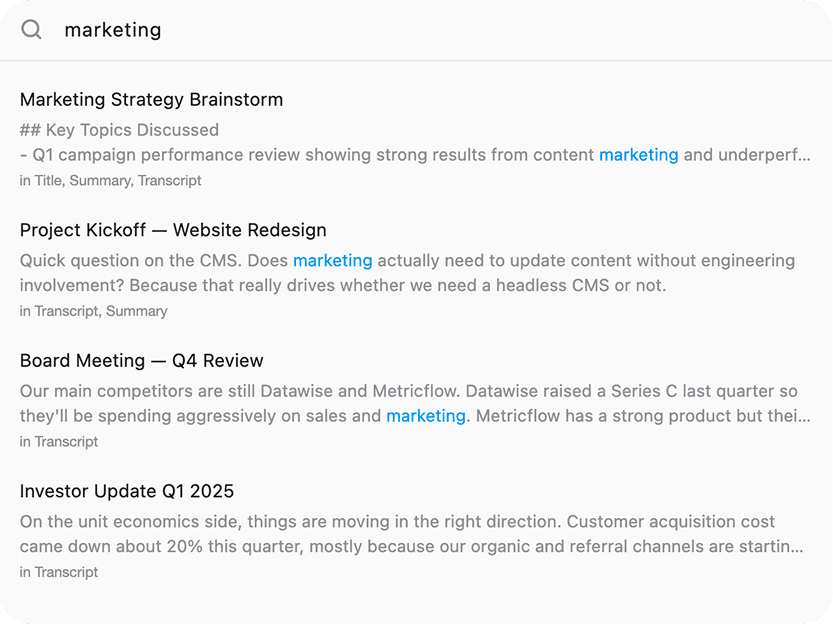
Search Across All Recordings
Find anything you've ever recorded. Search across titles, transcripts, and summaries instantly - with keyword highlighting to pinpoint exactly what you're looking for.
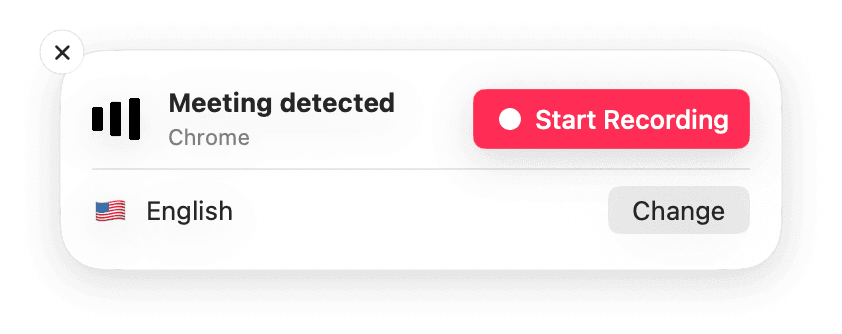
Automatic Meeting Detection
Silkwave Voice notices when a meeting or call begins - in Zoom, Google Meet, or a browser tab - and pops up a notification so you can start recording in a single tap. Pick your transcription language right from the prompt, and you're capturing before the conversation gets going - no scrambling to hit record.
Dark Theme
Prefer a darker look? Switch to dark theme to reduce eye strain during late-night sessions and match your macOS system appearance.
Comparing note takers? See how Silkwave Voice compares with Otter.ai, Granola, and MacWhisper.
Ready to get started?
Download Silkwave Voice on the Mac App Store.
$24.99one-time
7-day free trial
Requires macOS 26 or later
US pricing. Apple may adjust prices in other regions.